



User Manual
Chords
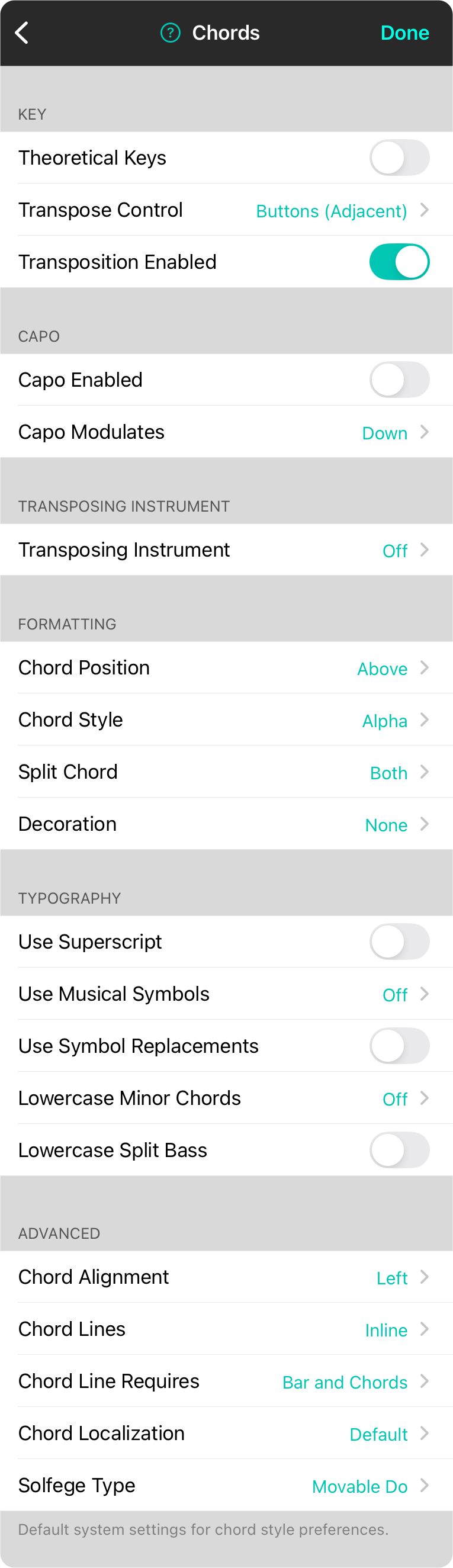
The chord section determines the default behavior and interface options for the Style Preferences Menu Chords tab. You can make changes in the following sections:
Key
The key section allows you to set up a default chord style to display chords as well as settings for chord display. In addition, you can determine if theoretical keys can be displayed allowing for keys that are not in the ordinary music theory set of keys. You can also change the transpose control used in the style preferences menu.
Capo
This section allows you to set up default settings for the capo behavior.
Transposing Instrument
This section allows you to determine a transposing instrument which is used to transpose the music to instruments not using concert pitch. Options include: Off (Default), B♭, E♭, F, or G.
Formatting
This section lets you to determine how chords are formatted with position and style.
Typography
This section is used to determine how the typography of the chord are handled.
Advanced
This section provided more advanced settings.



