



User Manual
Settings
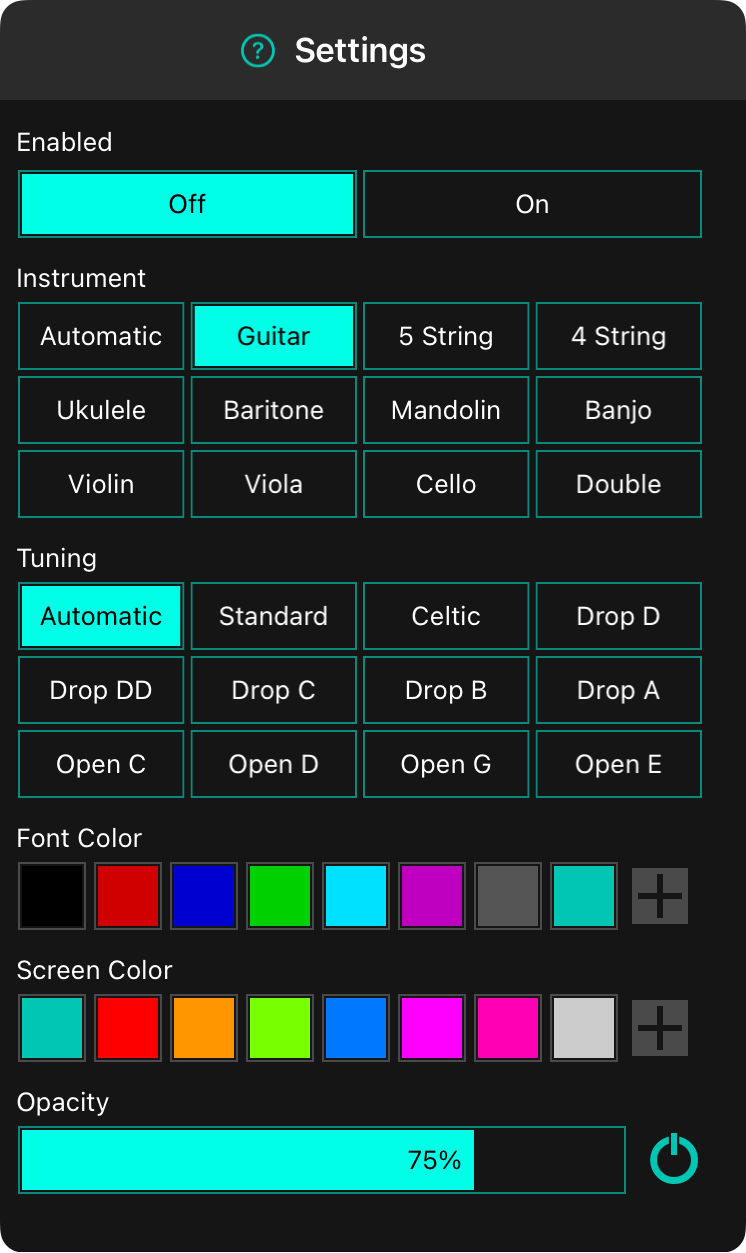
The tuner widget gives you plenty of options for how to customize tuning your instrument.
Enabled
This switch will toggle listening for tones on and off.
Instrument
By default, the tuner uses the instrument configured for the song. However, you can also change the instrument to one that you are currently using including: Guitar, 5 String bass, 4 String bass, Ukulele, Baritone (ukulele), Mandolin, Banjo, Violin, Viola, Cello, or Double bass.
Tuning
The tuner widget displays the notes of the instrument above the currently heard tone. Changing the tuning will display notes for that tuning.
Font Color
This is the color that the font and other LED elements of the tuner appear in. By default, this is a semi-translucent black color. However if you set the opacity to 0%, you may want the text and other elements to be a specific color.
Screen Color
This settings lets you customize the background color of the tuner screen. The default setting is the configured app color.
Opacity
Controls the opacity of the background allowing the background to be visible underneath.



