



User Manual
Configure Columns
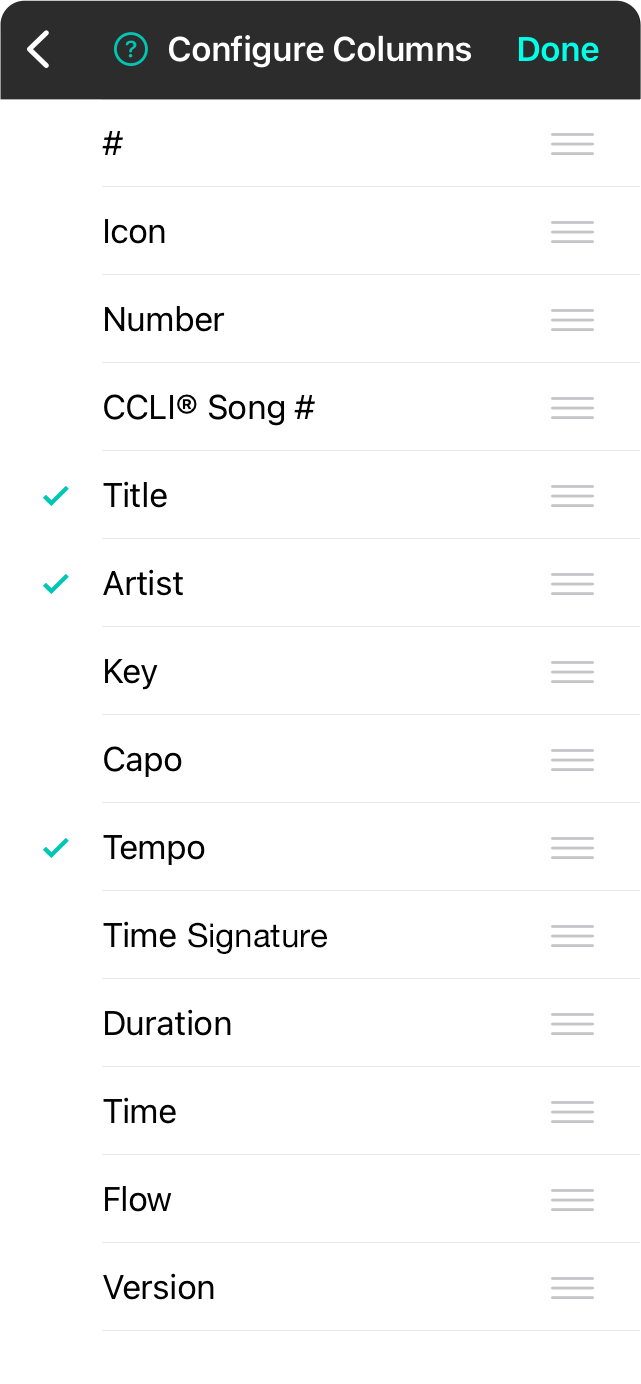
This screen allows you to customize columns to display when outputting song lists. Tap on a row to toggle the checkmark that indicates its visibility. You can also use the reordering handles to change the what order the columns appear including:
- # is the row number and will always be 1, 2, 3, etc.
- Icon displays the favorite icon assigned to the song.
- Number is the song number as specified in metadata.
- CCLI® Song # is used to hold licensing information.
- Title is the name of the song.
- Artist is the commonly known performer or recording artist.
- Key is the key in which the song is to be performed.
- Capo is the fret to which a capo is applied.
- Tempo the tempo of the song measured in beats per minute (BPM)
- Time Signature is the time signature associated with the song.
- Duration is how long the song takes to play.
- Time is the time at which the song is performed.
- Flow is the flow assigned to the song to make an arrangement.
- Version is the name of the version that is used.
OnSong 2026 — Last Updated on December 16, 2025



