



User Manual
Context Menu
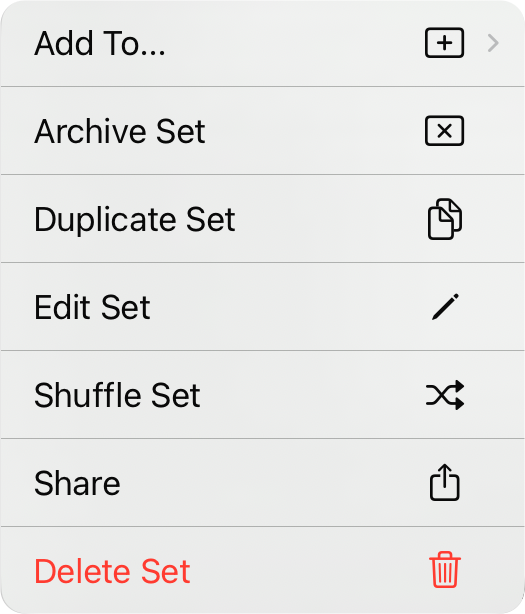
The action menu can be accessed by by tapping on the name of a set while in Editing Mode or by tapping and holding on the name of the user. This allows you to perform the following actions:
Add To...
This lets you add the set to a folder or book via a submenu.
Archive/Unarchive Set
This action will move the currently selected set to the Archived list when viewing the Active list. Likewise, this option will be called Unarchive Set when the action menu is viewed in the Archived and will move the set back into the Active list.
Duplicate Set
If you have a set you want to copy in order to make a few tweaks, use this action. The set will be duplicated so you can make additional changes without making a set from scratch.
Edit Set
This action allows you to change the date, title, and other attributes of the set.
Shuffle Set
This action will change the custom sort order of the set to randomize the order of songs. This is useful for practice.
Share
This opens a submenu to chose how you're like to share the set with the following options: Email, Export, Open, or Print.
View Set
This option will load the selected set into the song viewer.
Delete Set
This action will delete the set. Songs are not deleted from the library.



