



User Manual
Dual Chords
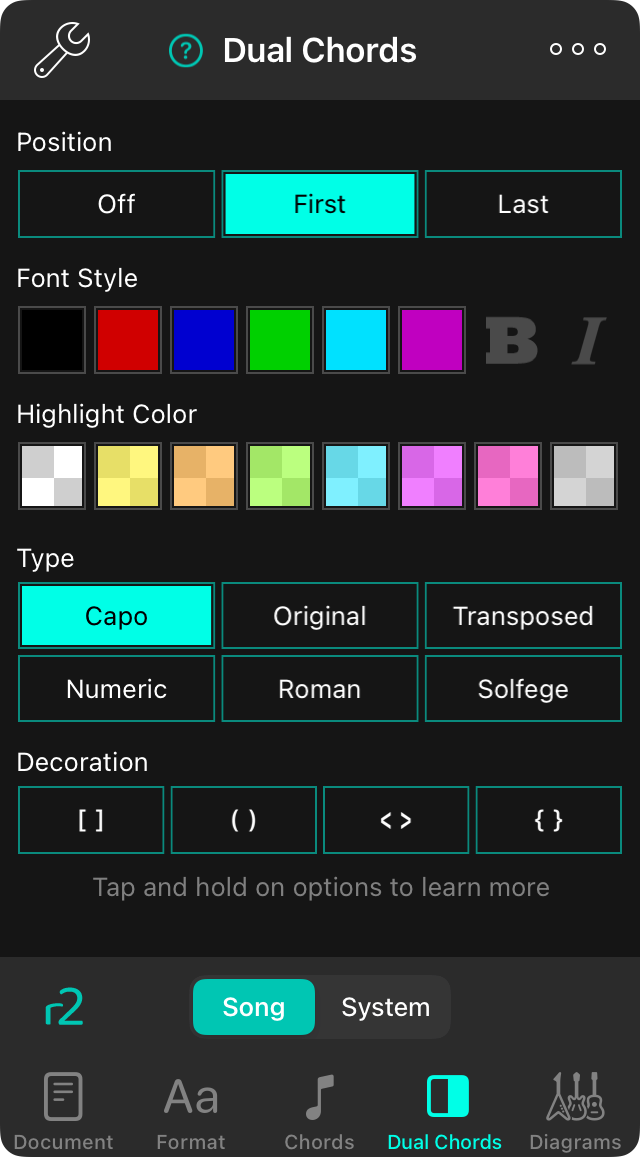
The dual chords tab lets you enable and configure secondary chords that appear next to the primary chords on the screen. This can be useful if you are sharing a chart with someone using a capo, or if you are learning a numbering system.
Position
Here you can enable dual chords by choosing to place it before or after the primary chord.
- Off the secondary chord is not enabled. Default.
- First the secondary chord appears before the primary chord.
- Last the secondary chord appears after the primary chord.
Font Style
This lets you change the style of the secondary chord to be different from the primary chord, which is the default setting. Here you can choose a font color and/or if the font is bold or italics. When nothing is checked, the primary chord style is used.
Highlight Color
This lets you change the highlight color of the secondary chord to be different from the primary chord. By default, nothing is checked which results in it acquiring it from the primary chord. You can tap on a swatch this is already checked to uncheck it and return to the default.
Type
This lets you choose what type of chord appears as the secondary. Options include:
- Capo shows the capoed version of the primary chord which modulates it from the transposed chord using the capo setting if enabled. Default.
- Original shows the chord that was originally written for the song in the original attachment.
- Transposed shows the transposed chord by taking the original and transposing it according to the transposed key setting.
- Numeric shows the chord using the Nashville numbering system, outputting the chord interval within the key as an arabic numeral (1-6).
- Roman shows the chord using Roman numerals as the chord interval within the key.
- Solfege shows the chord using do-re-mi nomenclature relative to the chord interval within the key.
Decoration
This can be used to enclose the chord in text for better visibility. Options include:
- None when nothing is selected. Default.
- [ ] wraps the chord in square brackets.
- ( ) wraps the chord in parentheses.
- < > wraps the chord in angle brackets.
- { } wraps the chord in curly braces.



