



User Manual
Formatting
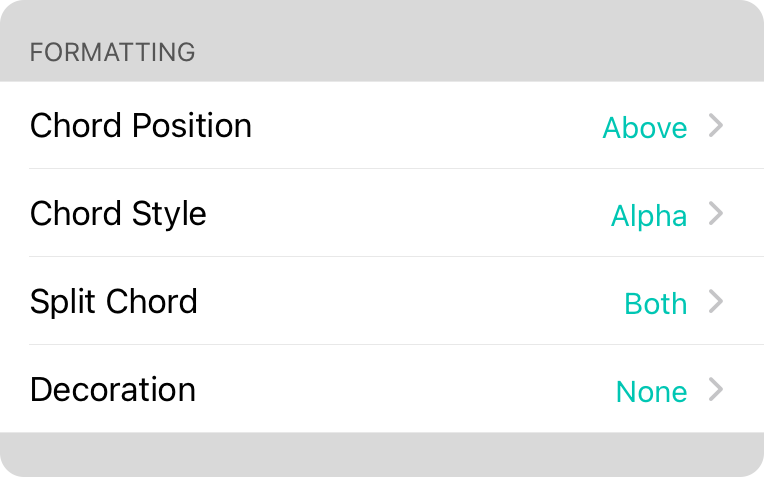
This section contains settings for formatting the chord.
Chord Position
Determines where the chord is placed in relation to lyrics. Options include:
- Above places the chord above the lyrics on a separate line.
- Inline places the chord within the lyrics, taking up less space on the page but potentially breaking words.
Chord Style
This allows you to choose the default chord style for newly imported songs. You can choose from:
- Alpha displays chords as an alphabetic character (A-G) including enharmonic preference (sharp or flat). Default.
- Nashville displays chords as numbers (1-7) based on their position in the key.
- Roman displays chords as Roman numerals (I, ii, iii, IV, V, vi, vii) based on their position in the key.
- Solfege displays chords as numbers using Latin (do, re, mi, fa, so, la, ti) based on their position in the key. This normally stays constant and does not change when you transpose keys unless you change the Solfege Type setting.
Split Chord
You can denote chords with split bass using a slash. For instance, you can play an A chord over a D bass with A/D. This setting lets you determine what is outputted such as:
- Both outputs the chord "as-is" with the chord and bass component separated by a slash. Default.
- Bass Only outputs only the bass portion of the chord.
- Chord Only outputs only the main chord portion of the chord.
Decoration
This setting will surround the chord with brackets to help differentiate it from surrounding lyrics. This is helpful if you are displaying chords inline. Options include None (default), Square Brackets, Parentheses, Angled Brackets, or Curly Braces.
OnSong 2026 — Last Updated on December 16, 2025



