



User Manual
Diagrams
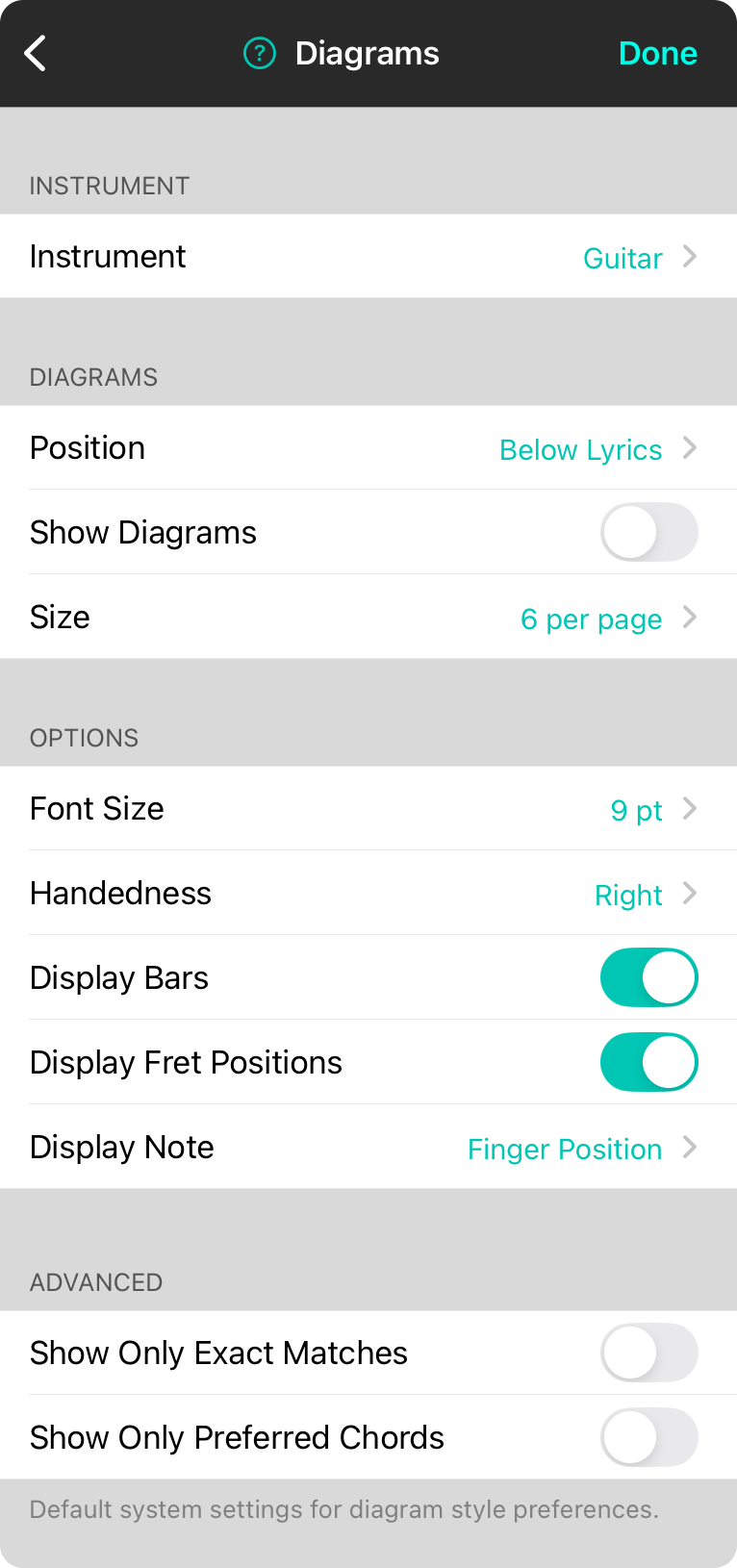
Chord diagram appear when you tap on a chord in the song viewer to open the Chord Inspector, or if you turn on chord diagrams to appear using the Style Preferences Menu. You can change how chord diagrams are drawn using these preferences.
Instrument
This specifies the instrument to use for playing the song and thereby, the chord diagrams. You can choose between Banjo, Bass, Guitar (Default), Mandolin, Piano, Ukulele, and Baritone Ukulele.
Diagrams
This section determines where diagrams appear on a page and what size in relationship to the page.
- Position determines where the diagrams will appear on the outputted chart such as Below Lyrics (Default), Above Lyrics, or Within Lyrics.
- Show Diagrams determines if chord diagrams are displayed or turned off completely.
- Size determines how many chord diagrams can fit across the content area of the page. Options include 4 through 10 diagrams across. The default is 6.
Options
There are various options that can be customized for how the chord diagrams is drawn including:
- Font Size is the size of the chord as it appears in the chord diagram and based on the relative size of the chord diagram. Options include 9 (Default), 10, 11, 12, 14, and 16 pt.
- Handedness changes the chord diagram to be flipped for left-handed players. Default is right.
- Display Bars will convert multiple fingerings on then first-played fret as a bar chord.
- Display Fret Positions will display the numeric fret positions on the left side of the chord diagram.
- Display Note determines what is played along the bottom of the chart. This includes: Off, Finger Position (default), and Letter.
Advanced
This section determines what chord diagrams are displayed allowing further refinement.
- Show Only Exact Matches will only show chord diagrams from the chord diagram library that are an exact match and does not apply leniency to the search. For instance, if a chord of E/G# is specified, only diagrams matching the split chord variation will be used and the standard E chord diagrams will not be displayed.
- Show Only Preferred Chords will disable the display of chord diagrams unless explicitly selected using the Chord Inspector. This results in fewer chord diagrams or none at all unless specified.
OnSong 2026 — Last Updated on December 16, 2025



